It starts bare.
One line, typed between two meetings: redesign the online shop. That is already a case. No setup, no AI needed.
For people who work with AI agents: see what was done, and why, at a glance.
Free · Open source
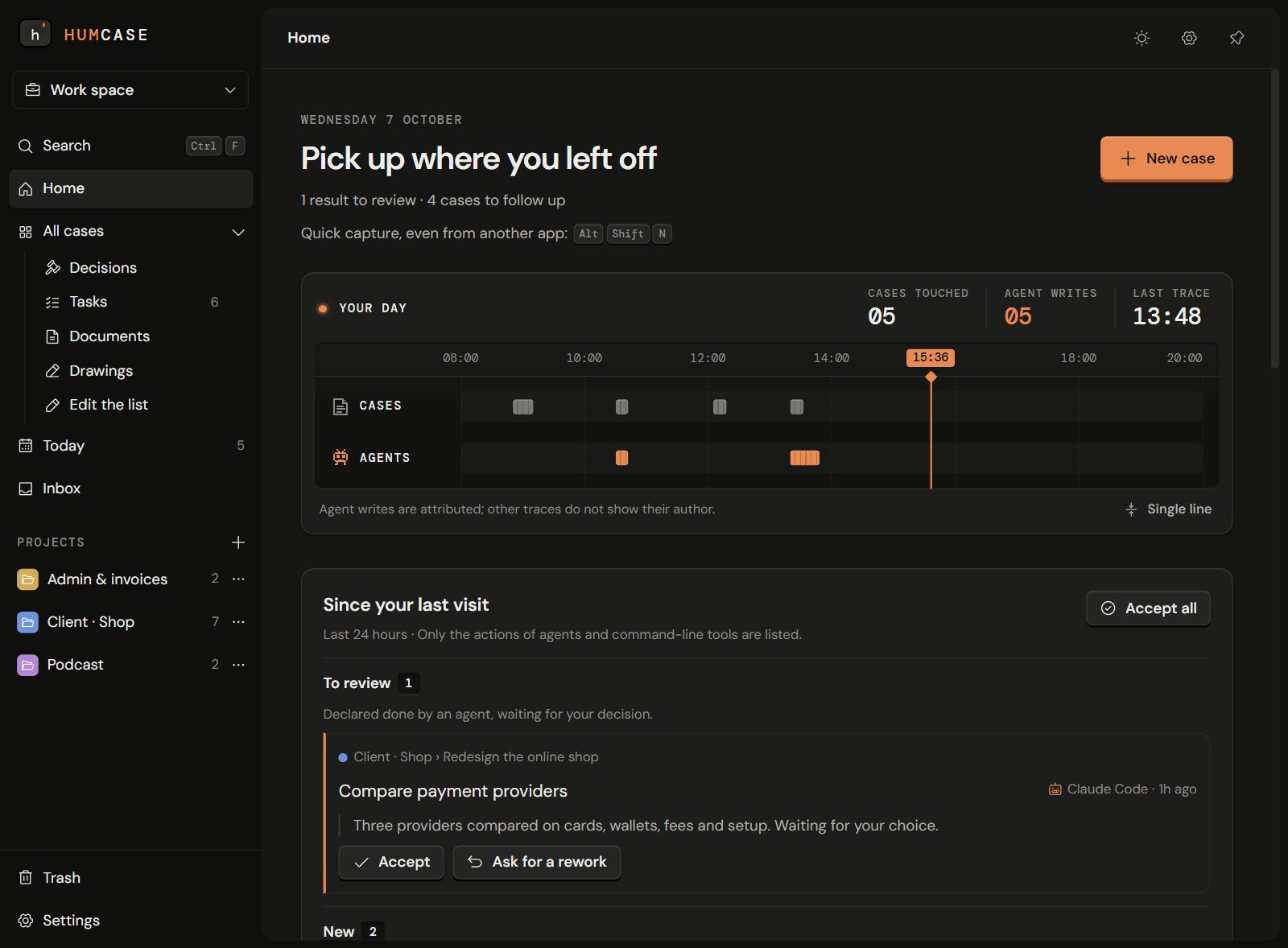
Working with agents leaves a trail of Markdown files, chats and folders. To find out why something was decided, you search, open and reread.
In Humcase, every idea, decision, task and proof sits in one place you read at a glance, next to what led to it.
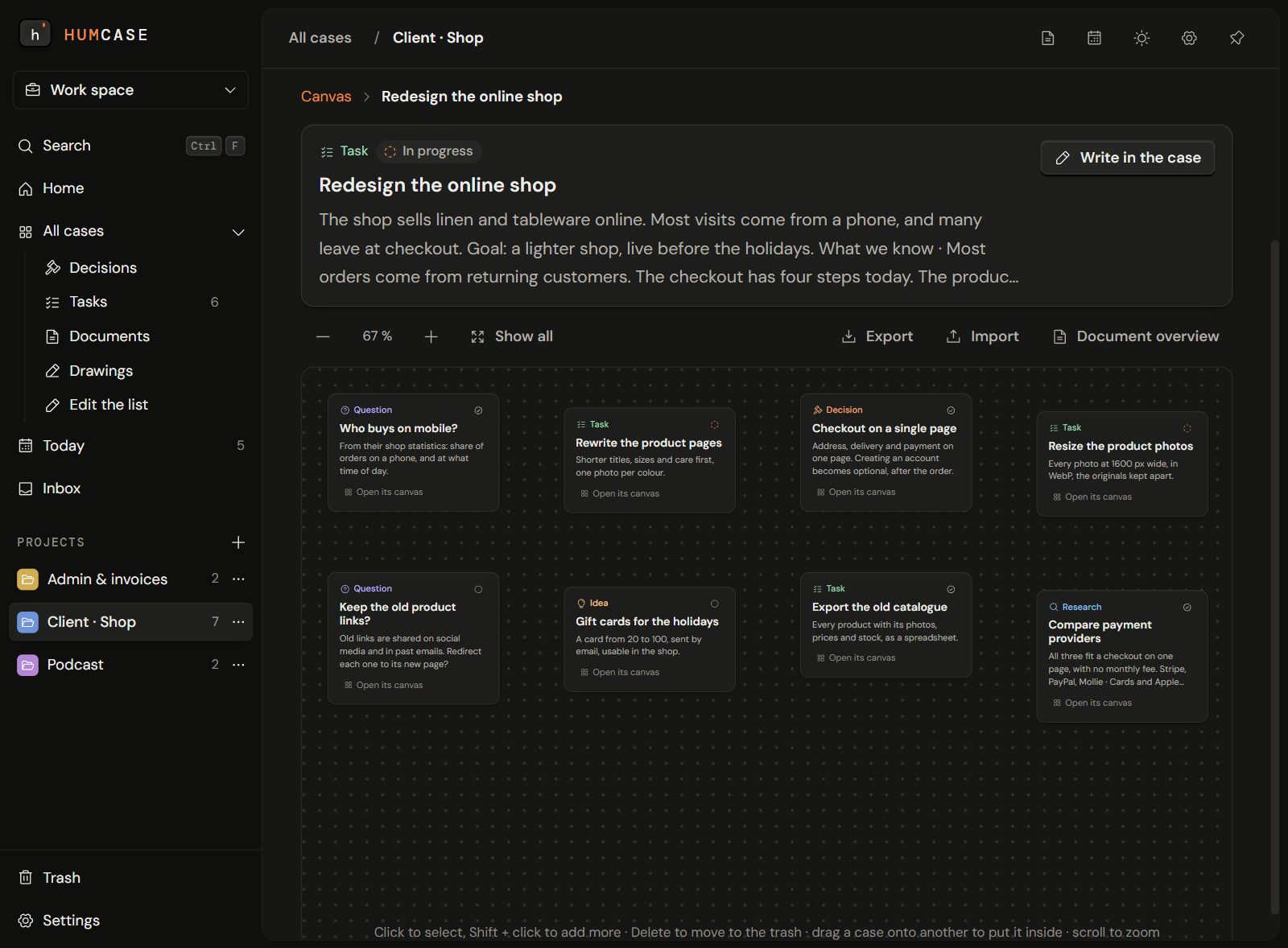
Our example: redesigning a client’s online shop. Each leaf is a case: an idea, a task, a question or a decision.
One line, typed between two meetings: redesign the online shop. That is already a case. No setup, no AI needed.
Each branch is a sub-case. Humcase can suggest next steps from your own words, and creates only the ones you keep. Your agents add theirs, under their own name.
Point at a framed leaf to read itTap a framed leaf to read itWhen a case is done, Humcase offers to put it away and waits for your yes. Nothing is deleted: months later, you can still see what was decided, and why.
New ideas grow from what the old ones taught you, and each one remembers where it came from.
Claude Code, Codex and other agents connect to Humcase and write in the same cases as you, under their own name.
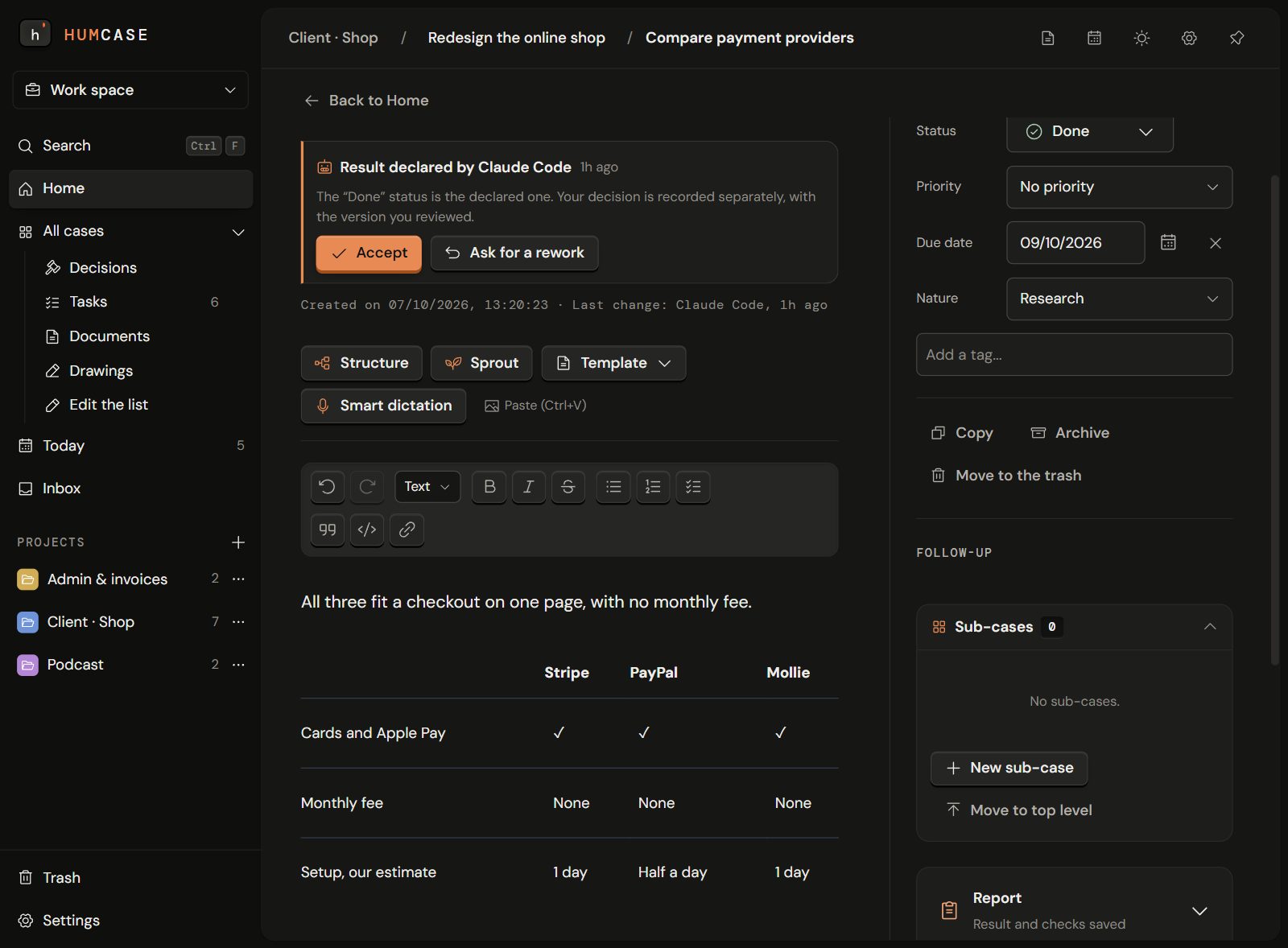
Claude Code, asked to compare payment providers, writes a research case “Compare payment providers” into the Humcase case “Redesign the online shop” through Humcase’s MCP server. It then waits for your review.
An agent can’t close its own work. It hands you a result; you accept it, or send it back with a reason.
Result ready, waiting for your decisionCodex cannot accept it for you
Humcase doesn’t run your agents. It keeps what they hand in.
Write, dictate, sketch, add images. Arrange your cases on a canvas, or see them as cards, a list or a board. Work and personal stay apart.
Your cases stay on your PC and work offline. Dictation and AI need the internet.
The code is public under AGPL-3.0. Read it, build it, check what it does.
Humcase works fully without AI. When you want it, use your own key or a model on your computer.
Press I T Q D R to add a case · Enter suggests next steps · Esc starts overTap a key to add a case.
An example: nothing is saved.
Yes. Free and open source. Paid options such as sync may come later; the app will keep working without them.
Both. A case can be an idea, a task, a question or a decision, and cases grow inside each other. Each one keeps where it came from.
Claude Code, Codex, Cursor, opencode, and any agent that supports MCP. They write under their own name and can’t change your text unless you allow it.
Windows today. Linux is next, then macOS.
This preview isn’t signed yet, so Windows doesn’t recognise it. Click More info, then Run anyway.
Free for Windows.
Only release news.